← All features

Booking & Communication

Your diary, online booking, client messages and waitlist in one place, with the routine work done for you.

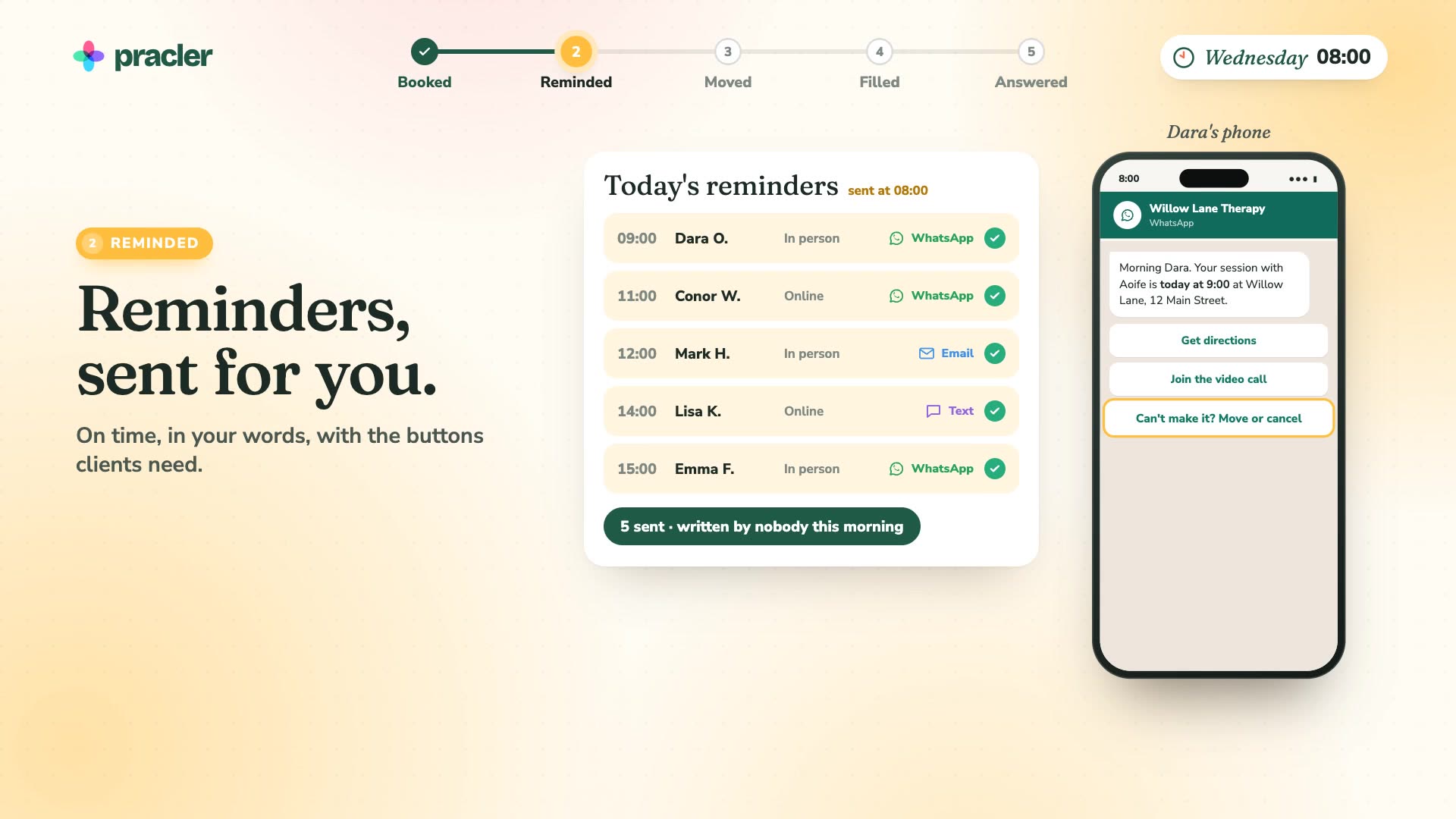
See how one practice uses Pracler’s automation to manage booking and communications.

Watch the film · · sound on

Before nine46 sec · sound on

An animated film. Between seven and nine in the morning, with nobody at the desk, a new client books an initial assessment online, fills in her intake form and pays. The day’s five reminders go out by WhatsApp, email and text, with buttons for directions, the video call and moving or cancelling. A client moves his own session to Friday from his reminder and the calendar updates. His old slot is offered to the next client on the list and filled. A WhatsApp message asking for a receipt becomes a task, with the receipt found and the reply drafted. At nine the practitioner opens her laptop and sends it with one tap.

Read the transcript

It's seven in the morning. Nobody's at Willow Lane yet.

A new client books online, fills in her intake form, and pays.

Today's reminders go out by themselves, with directions, the video link, and a way to move.

Conor needs to move. He picks a new time himself, and the calendar updates.

His old slot is offered to the next client, and filled.

A message comes in, asking for a receipt. Pracler finds it, drafts the reply, and makes it a task.

At nine, Aoife opens her laptop. One tap, and the morning's admin is done.

Pracler. The practice that runs itself.

Calendar

A calendar the way you want it.

From one practitioner to a team across several clinics, on a calendar that’s quick to read and quick to book.

  • Day, week or full-screen, in your own colours, format and size
  • Group people by clinic or team and show a group in one click
  • As many appointment types as you like, each set up your way
  • Book in a few clicks, with repeats and a note for staff
  • Drag a session to move it
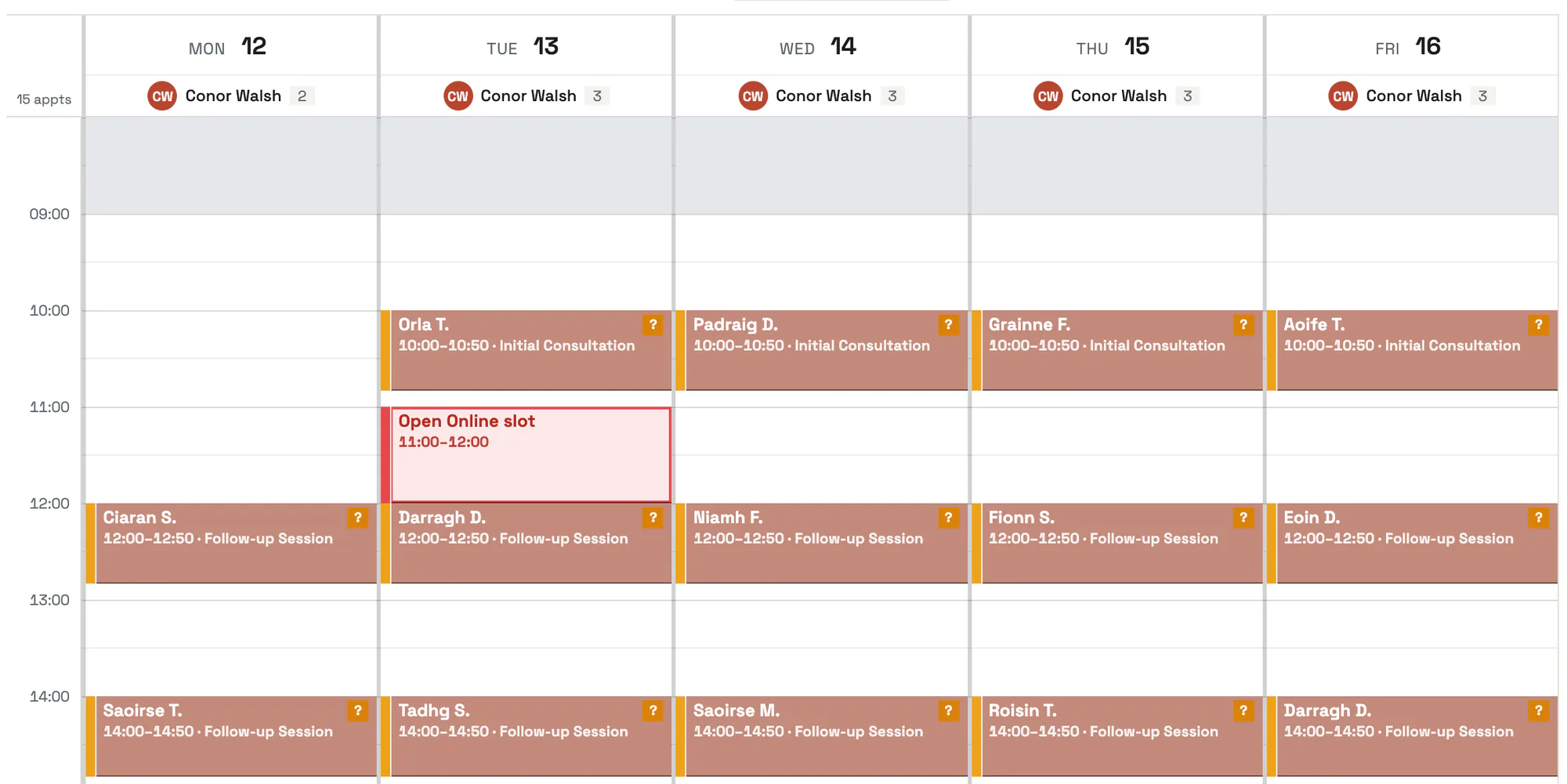
A week in the Pracler calendar, one column per day, with each session as a coloured block and a free Tuesday time shown in red as an open online slot.
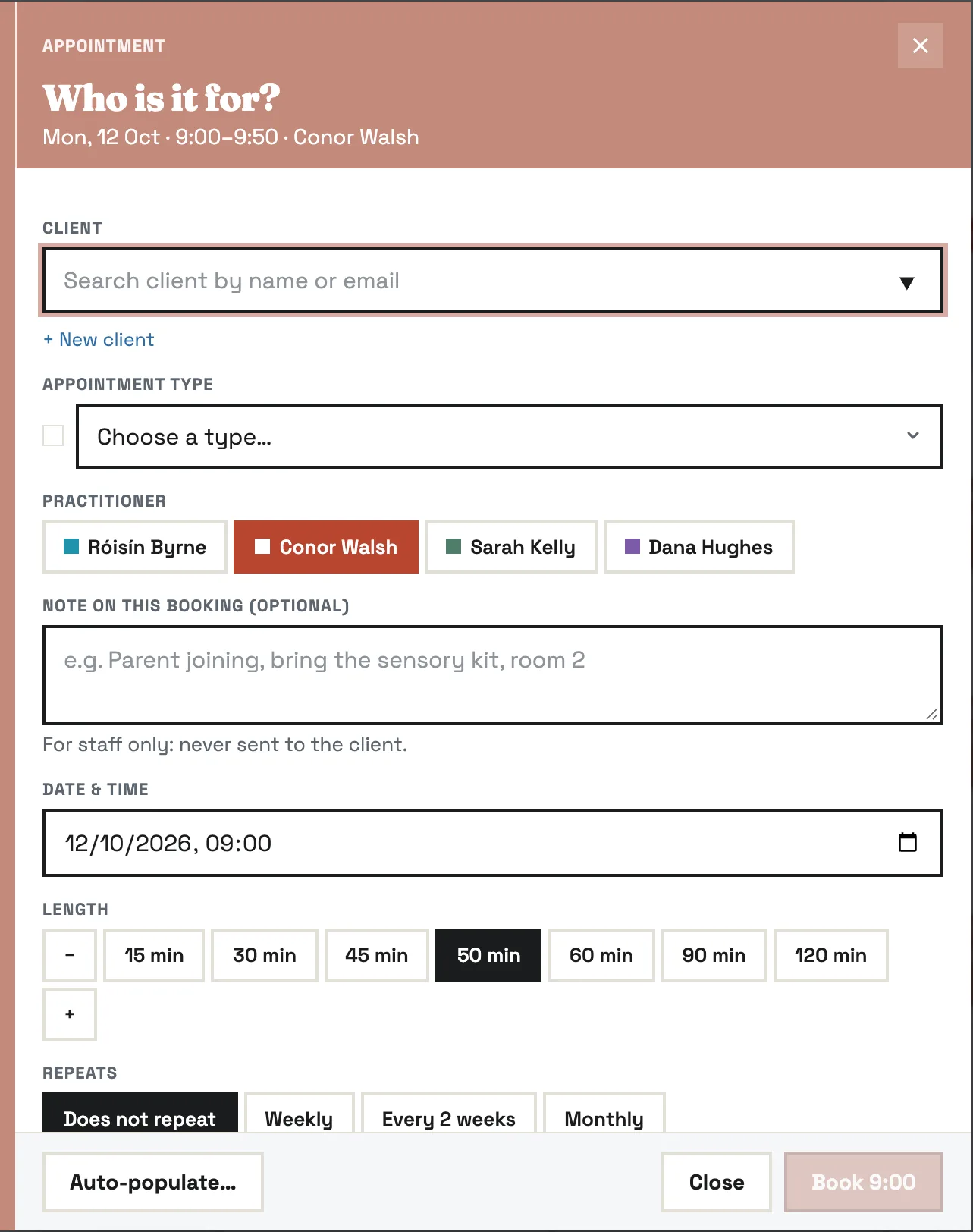
The booking window: who it's for, the appointment type, the practitioner, a note for staff only, the date and time, the length and whether it repeats, with an Auto-populate button.

Online booking

Clients book and pay online.

Share a link, add it to your website or print a QR code. Clients pick a time and pay, and the session is in your diary.

  • Only the appointment types and times you allow
  • New clients fill in their intake form as they book
  • Payment taken at booking, or later if you prefer
  • Works with any website, or with none

Need a website? See Pracler websites

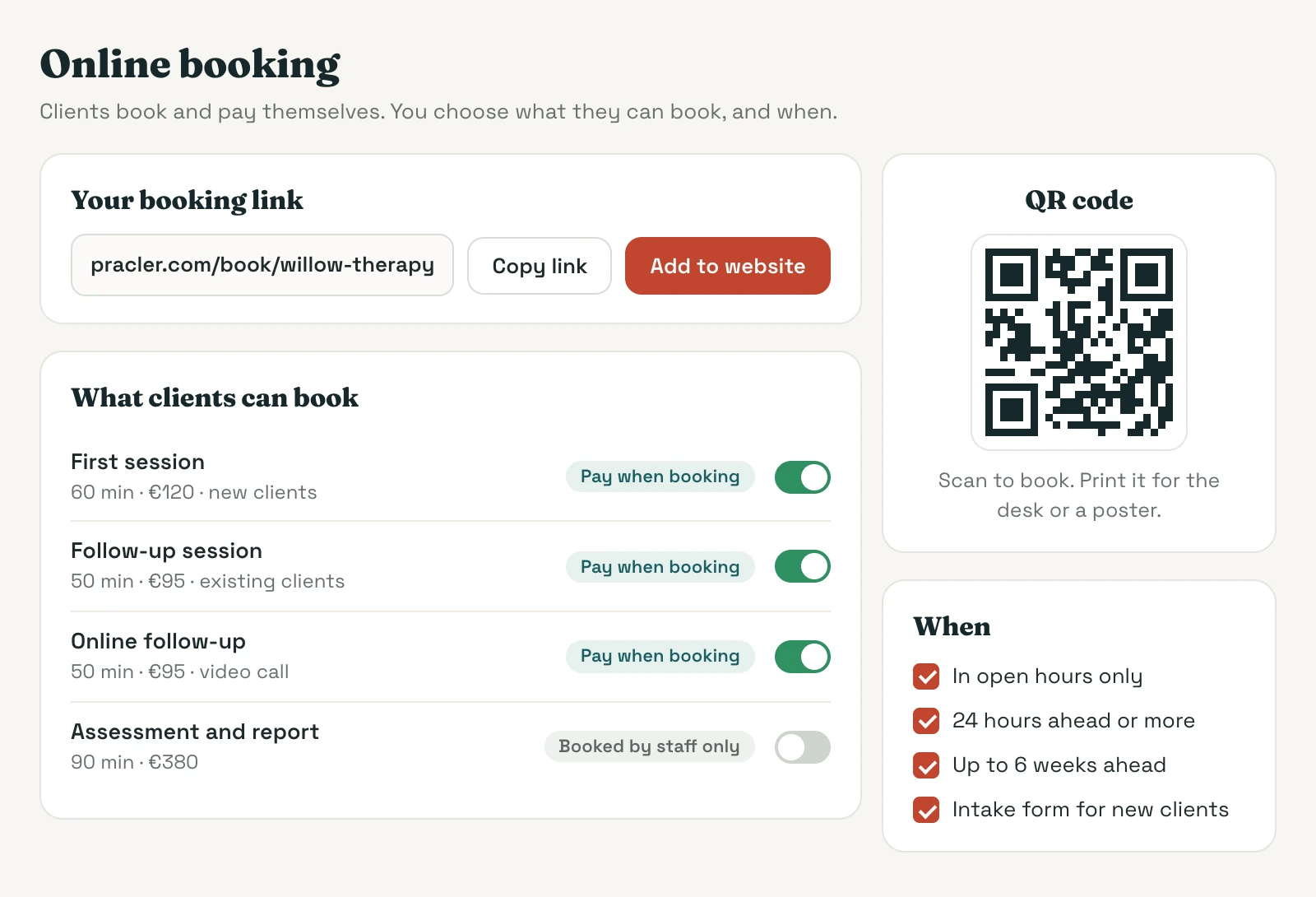
Online booking settings: the practice's booking link with Copy link and Add to website buttons, a QR code to print, the appointment types clients can book with payment taken at booking, one type kept for staff only, and rules for when clients can book.
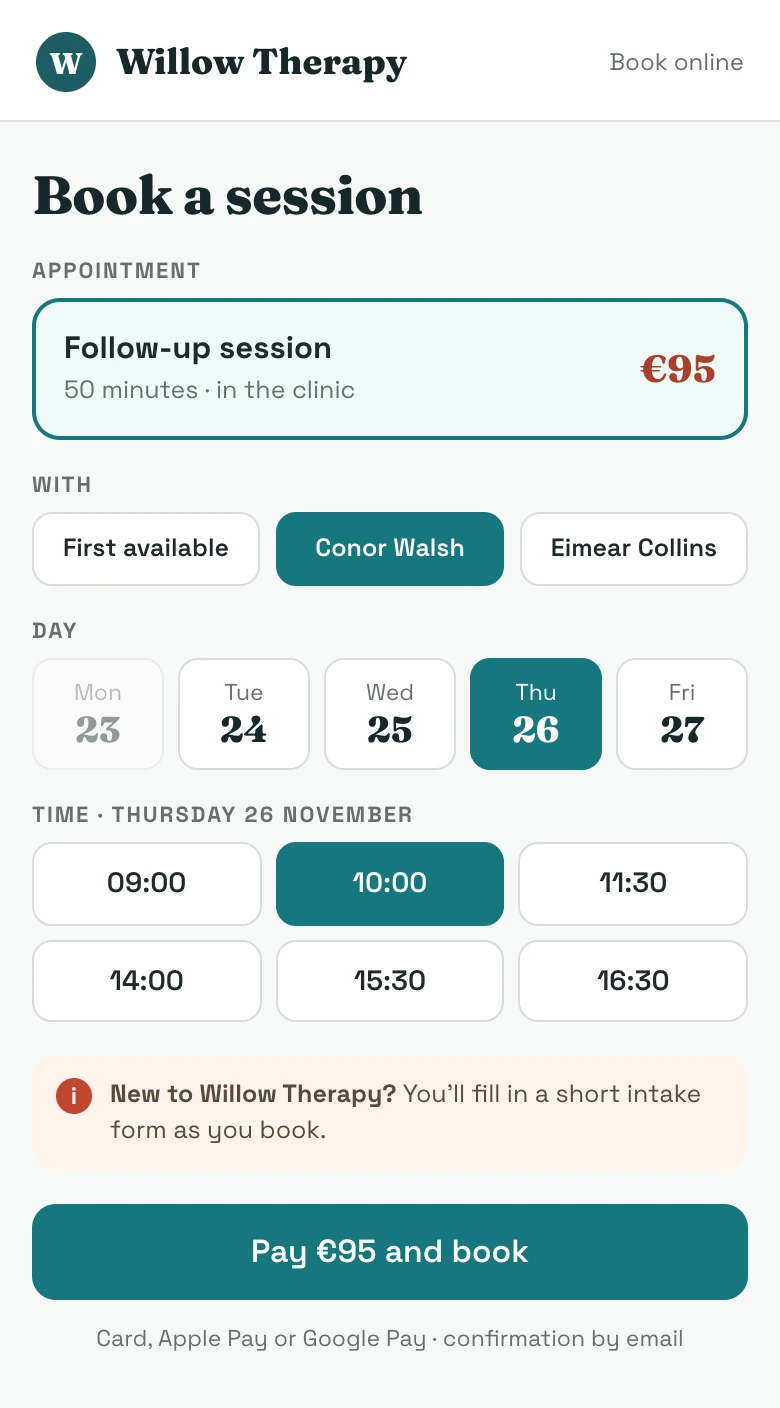
What the client sees on a phone: Book a session at Willow Therapy, a follow-up session at 95 euro with Conor Walsh, Thursday 26 November at 10:00 chosen, a note that new clients fill in a short intake form, and a Pay 95 euro and book button.

Auto-populate

Fill free slots automatically.

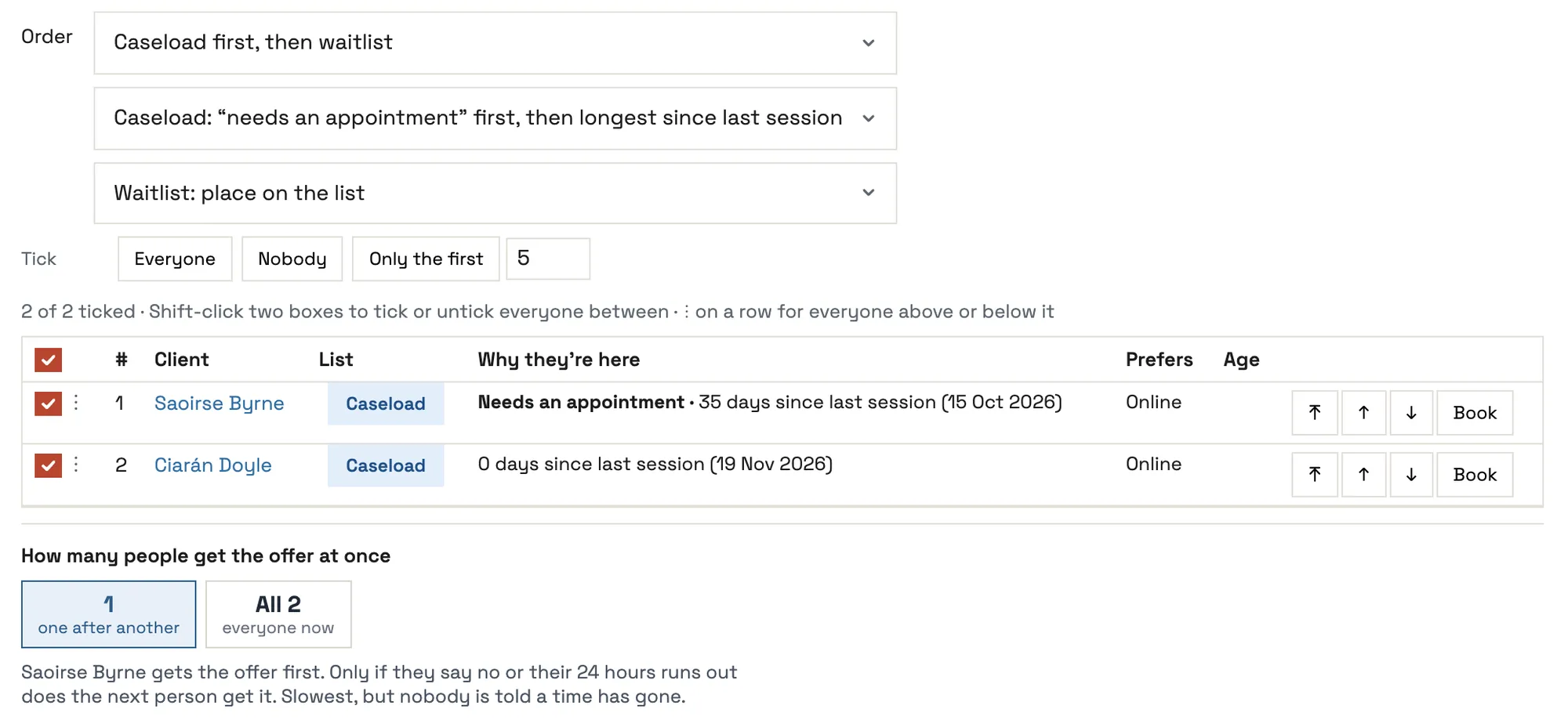
Our first-of-its-kind auto-populate tool offers an open time to the right clients and books whoever takes it.

  • Your caseload first, the waitlist, or both
  • One person at a time, or a few at once and first to book wins
  • A set time to answer, only within your working hours
  • Short-notice times go out faster, to more people
See all automations

Filling a free slot: the order (caseload first, then the waitlist), two clients ticked with the reason each is listed, and a choice between offering it to one person after another or to both at once.

Automated messages

Confirmations and reminders sent for you.

Confirmations, reminders and follow-ups go out on time by email, WhatsApp or SMS, in your own words.

  • Your layout, logo and colours
  • Choose what each type of appointment sends, and when
  • Buttons to get directions, join the call, or cancel and move
  • See exactly what a client will get before it goes
See all automations

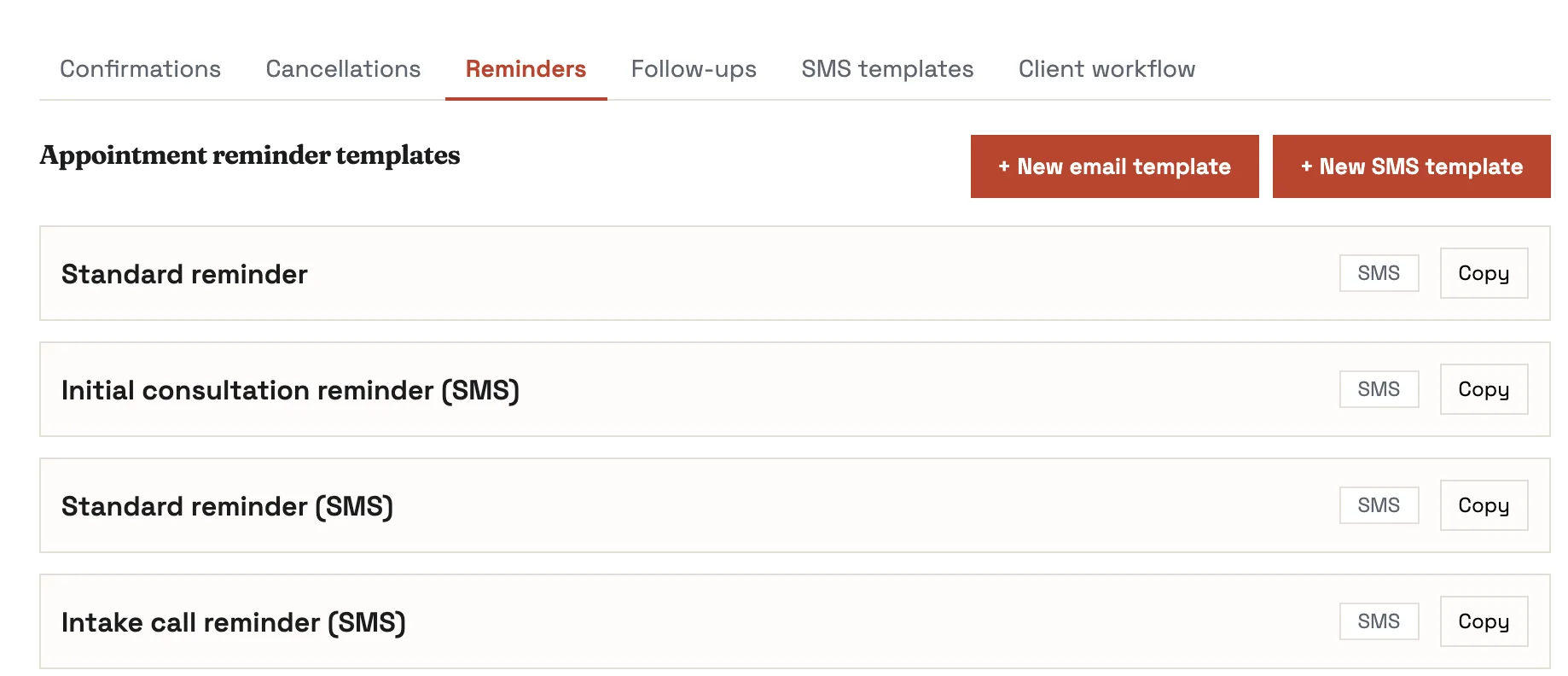
Settings, Client messages, Reminders: a list of reminder templates, each marked SMS or Email, with buttons for a new email template and a new SMS template, and tabs for confirmations, cancellations, follow-ups and SMS templates.
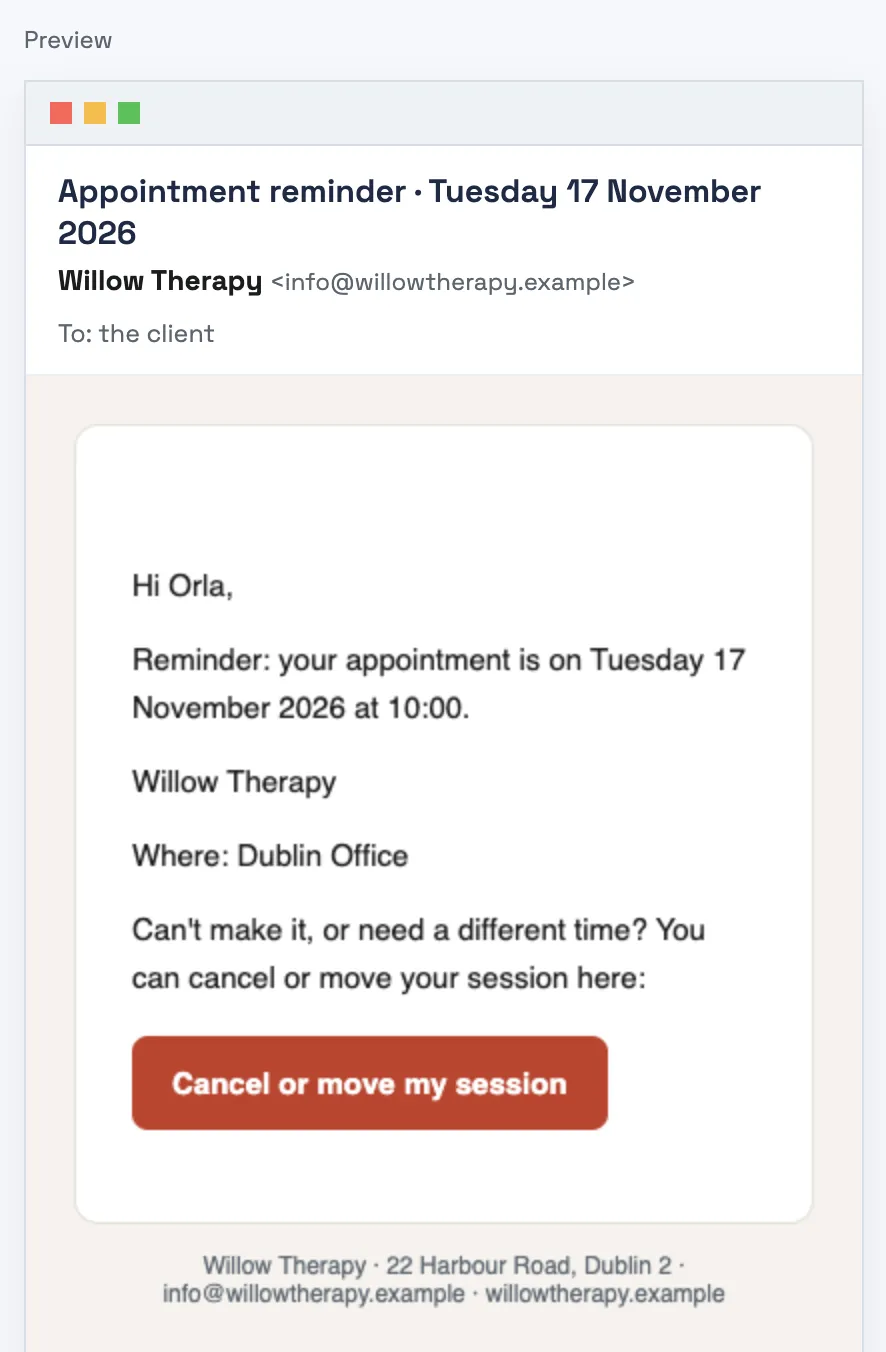
A reminder email as the client gets it: the date and time, where the session is, and a Cancel or move my session button.

Tasks

Every client message, in one place.

Email, WhatsApp and SMS come into Pracler, matched to the client, and each request becomes a task.

  • A reply drafted, ready for you to edit and send
  • Receipts, moves and new details set up for you
  • Tasks tick themselves off once they’re done
  • Automate routine tasks to cut down on admin
  • On the computer or on your phone

See all automations

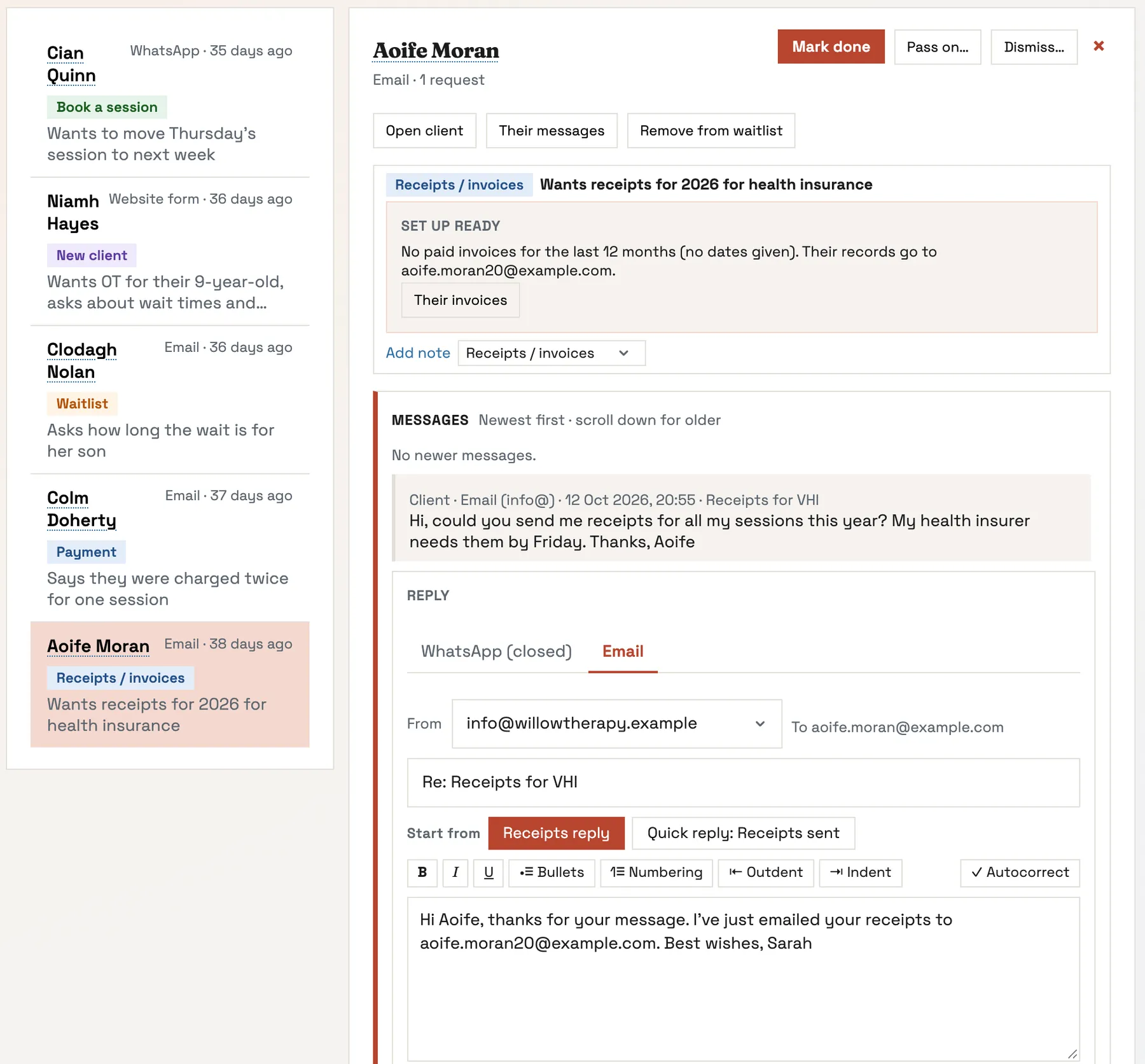
The Tasks list with client requests from WhatsApp, email and the website form. One is open: a request for receipts for health insurance, with an email reply started from the receipts template.
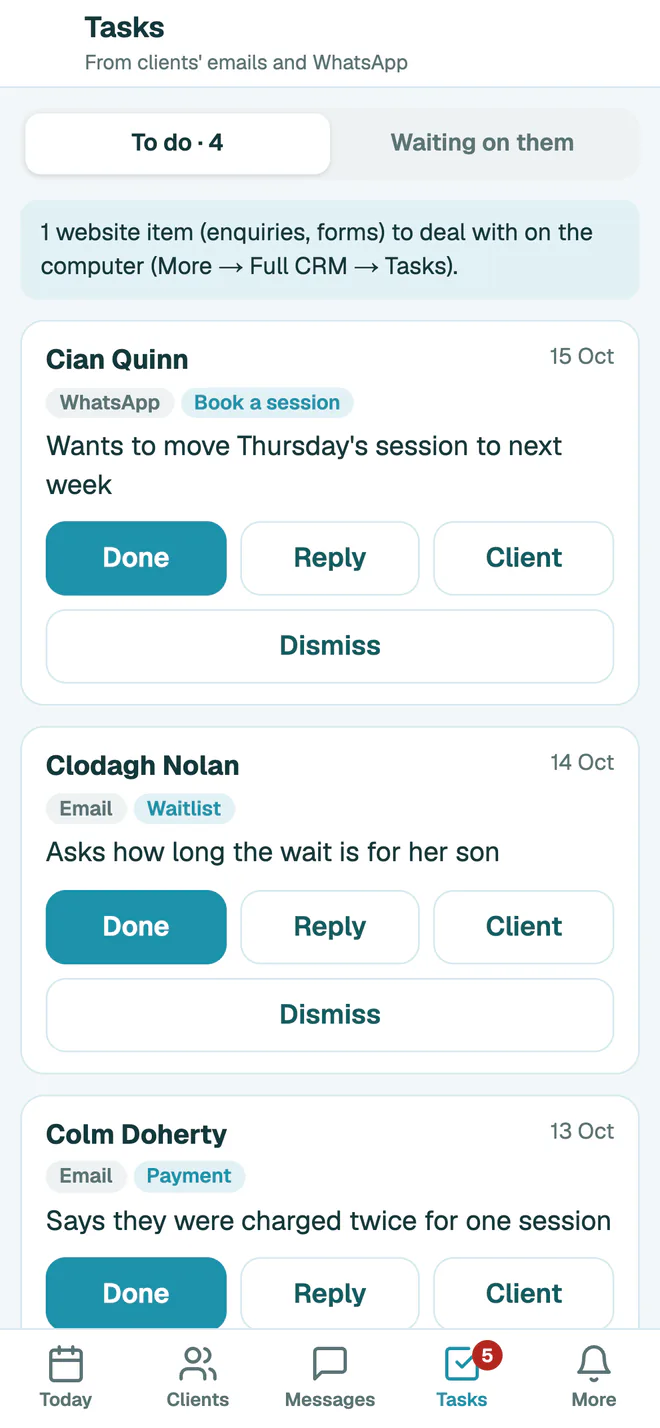
Tasks on Pracler's phone version: client requests from WhatsApp and email, with Done, Reply and Client buttons.

More in booking & communication

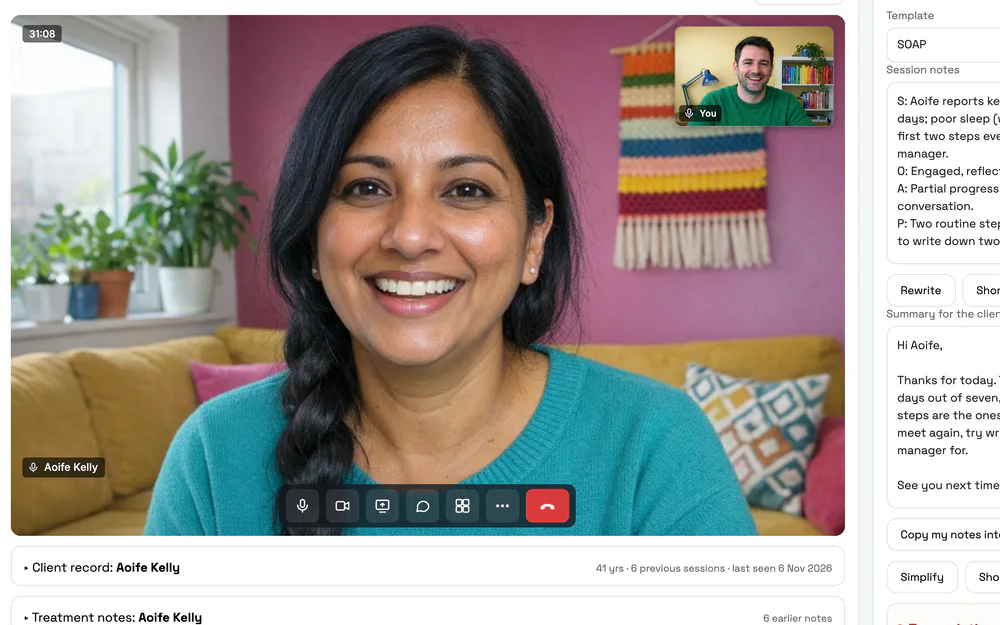
  • An online session in Pracler: the client on video, the practitioner in the corner, and the session notes beside the call.

    Video calls built in

    Online sessions run inside Pracler, with your notes beside the call. Every reminder carries the link.

  • Group sessions and classes

    Book several clients into one session. Set the capacity, keep a waitlist for each class and write a note per client.
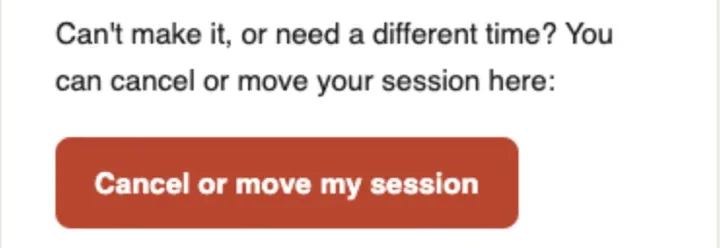
  • A reminder email line: can't make it, or need a different time? With a Cancel or move my session button.

    Clients cancel or move themselves

    Every reminder has a link. Your cancellation window and late fee are applied for you.

  • Rooms and equipment

    Book the room or the plinth with the session. Nothing gets double-booked.
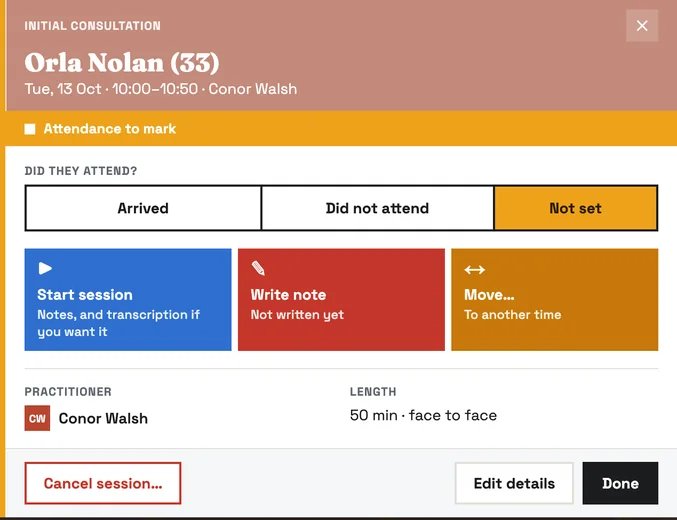
  • An appointment opened in Pracler with buttons to start the session, write the note, or move it to another time.

    Move a session, or offer new times

    Drag a session to a new time, or send the client your free times and let them pick.

  • Several locations on one calendar

    Switch between clinics or show them side by side.
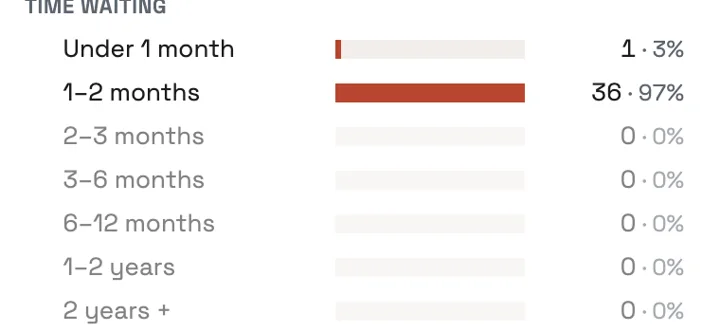
  • A waitlist chart showing how long people have been waiting, from under a month to over two years.

    Waitlist with automatic check-ins

    See who’s waiting and for how long. Everyone on it is asked every few months if they still want a place.
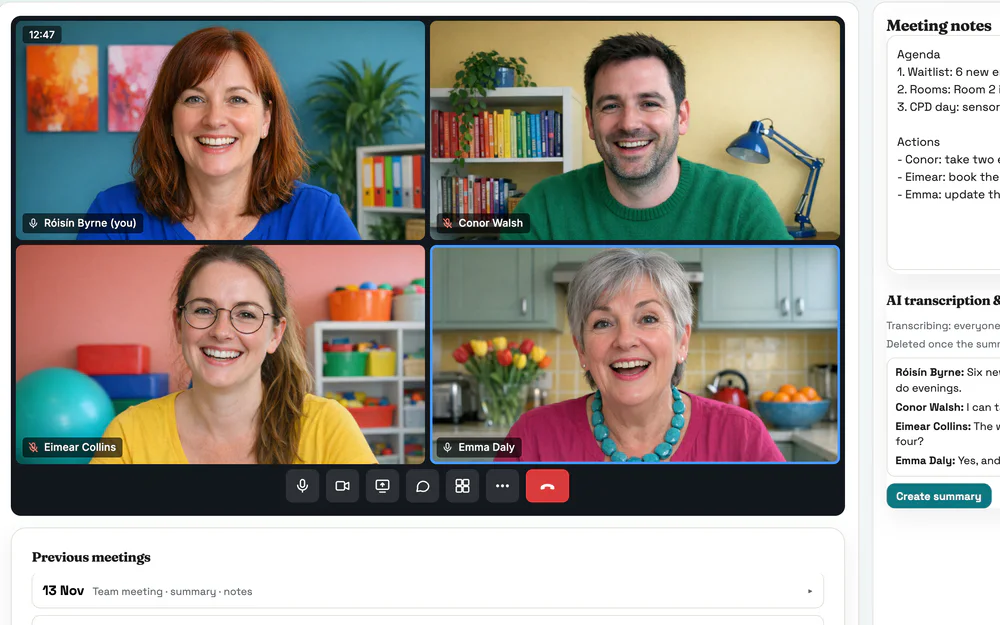
  • A team meeting in Pracler: four practitioners on video in a grid, with the meeting notes beside the call.

    Team meetings and supervision

    Book the team once. Every diary is blocked and the meeting gets its own video room.
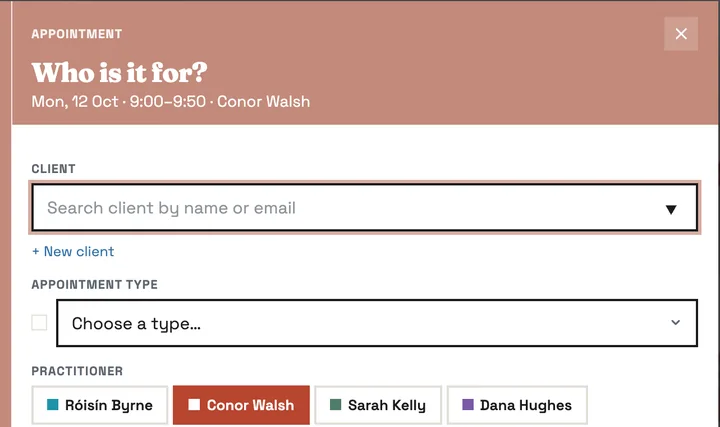
  • The booking window: search for a client or add a new one, then the appointment type and practitioner.

    Add a new client while you book

    Add someone in the booking window and their intake form goes to them by email.
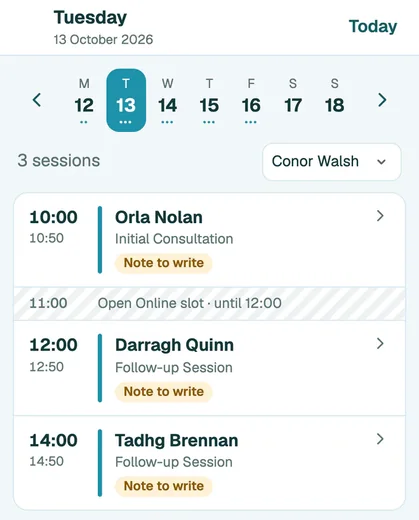
  • Pracler on a phone: a practitioner's Tuesday with three sessions, notes to write and an open online slot.

    Pracler on your phone

    Your sessions, the notes still to write and your clients’ records, laid out for a phone.
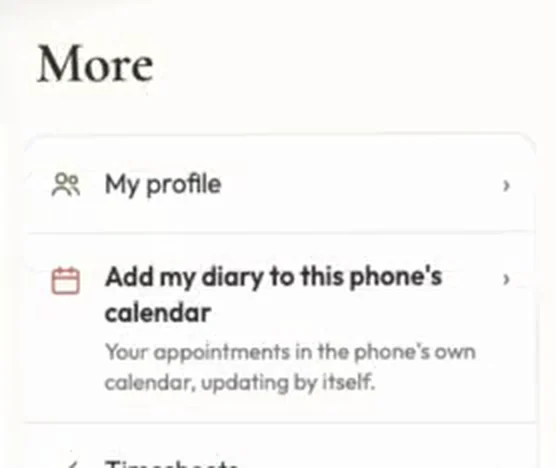
  • Pracler's phone menu with Add my diary to this phone's calendar.

    Your diary in your phone’s calendar

    Add it to iPhone, Google or Outlook. Initials and appointment type only, never names.
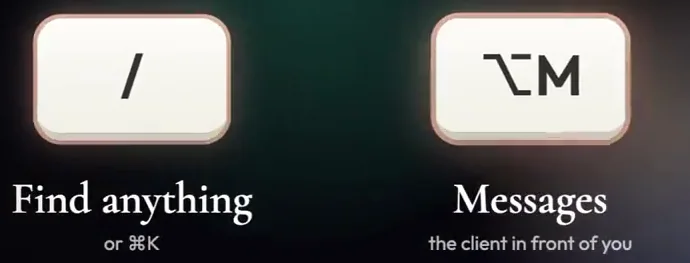
  • Keyboard shortcuts: slash to find anything, and Option M for messages with the client in front of you.

    Search for anything

    Press / and type a client’s name, a page or “book aoife”.

Early access · 30-day free trial

See it working on your own diary.

We set up each early-access practice in person, cancellation rules and all, and move your data across.